Agency Portal
The Agency Portal is where an agency runs its Sill work: it manages client accounts, scans prospect websites for agent readiness, shares the reports and tracks signups from its referral link.
It is for agencies, studios and consultants who set up and run Sill for other businesses.
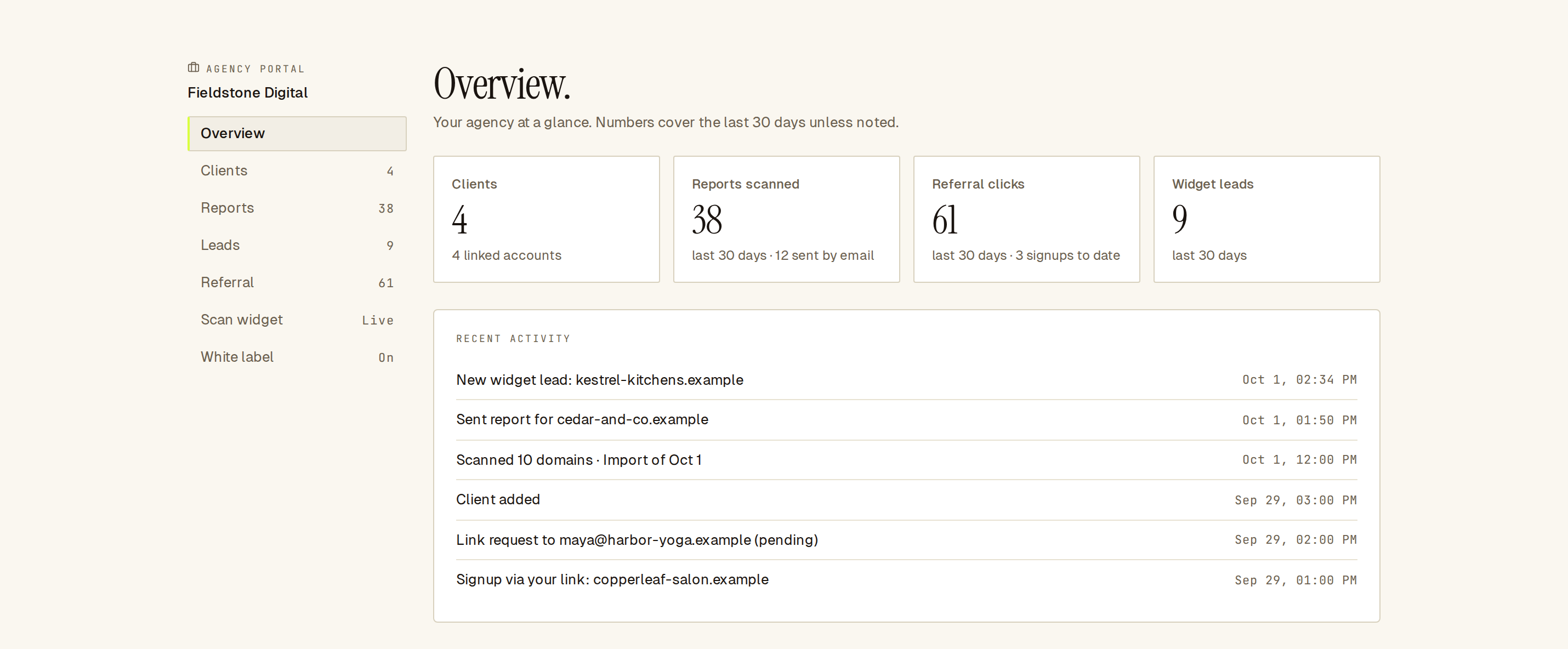 The Overview: last-30-day numbers and your agency’s recent activity.
How do I get the Agency Portal?
Section titled “How do I get the Agency Portal?”The Agency Portal is turned on per account. Contact Sill to turn it on for your agency’s account. White label is a separate add-on; ask for it at the same time if you want your own branding on reports.
Only owners and admins of the agency account can use the portal.
How do I open it?
Section titled “How do I open it?”- Sign in to
app.sill.sowith your agency account. - Click your initial in the top-right corner to open the account menu.
- Click Agency Portal.
On a phone, open the menu and tap Agency Portal.
What is in the Agency Portal?
Section titled “What is in the Agency Portal?”| Section | What you do there |
|---|---|
| Overview | See clients, reports scanned, referral clicks and widget leads for the last 30 days, plus recent activity. |
| Clients | Create client accounts, request access to existing ones, and switch into a client’s dashboard. |
| Reports | Scan a list of domains, open or copy each report, email it, export a CSV. |
| Leads | Sites scanned with your scan widget, each with its report. |
| Referral | Set your sill.so/go/… link and see the signups it brings in. |
| Scan widget | Put a readiness scan box on your own website. |
| White label | Put your name, logo and colour on the reports and emails you send. |
Each section’s count in the left rail comes from the same last-30-day numbers as the Overview.
What does the Overview show?
Section titled “What does the Overview show?”- Clients: client accounts linked to your agency.
- Reports scanned: scans in the last 30 days, and how many you sent by email.
- Referral clicks: clicks on your referral link in the last 30 days, and signups to date.
- Widget leads: scans from your scan widget in the last 30 days.
- Recent activity: new leads, sent reports, imports, new clients, access requests and referral signups. Click an import to open it in Reports.
Until you have finished setting up, a Next steps list suggests what to do: add your first client, scan a list of prospects, set up your scan widget, brand your reports and share your referral link.
Daily limits
Section titled “Daily limits”Client invites, access requests, scans and report emails share one daily allowance per agency. See Limits and FAQ.