White label reports and emails
White label puts your agency’s name, logo and accent colour on the readiness reports you share and the report emails you send from Sill, and lets you choose the button at the end of each report. Set it up in Agency Portal → White label.
White label is an add-on to the Agency Portal. Contact Sill to turn it on.
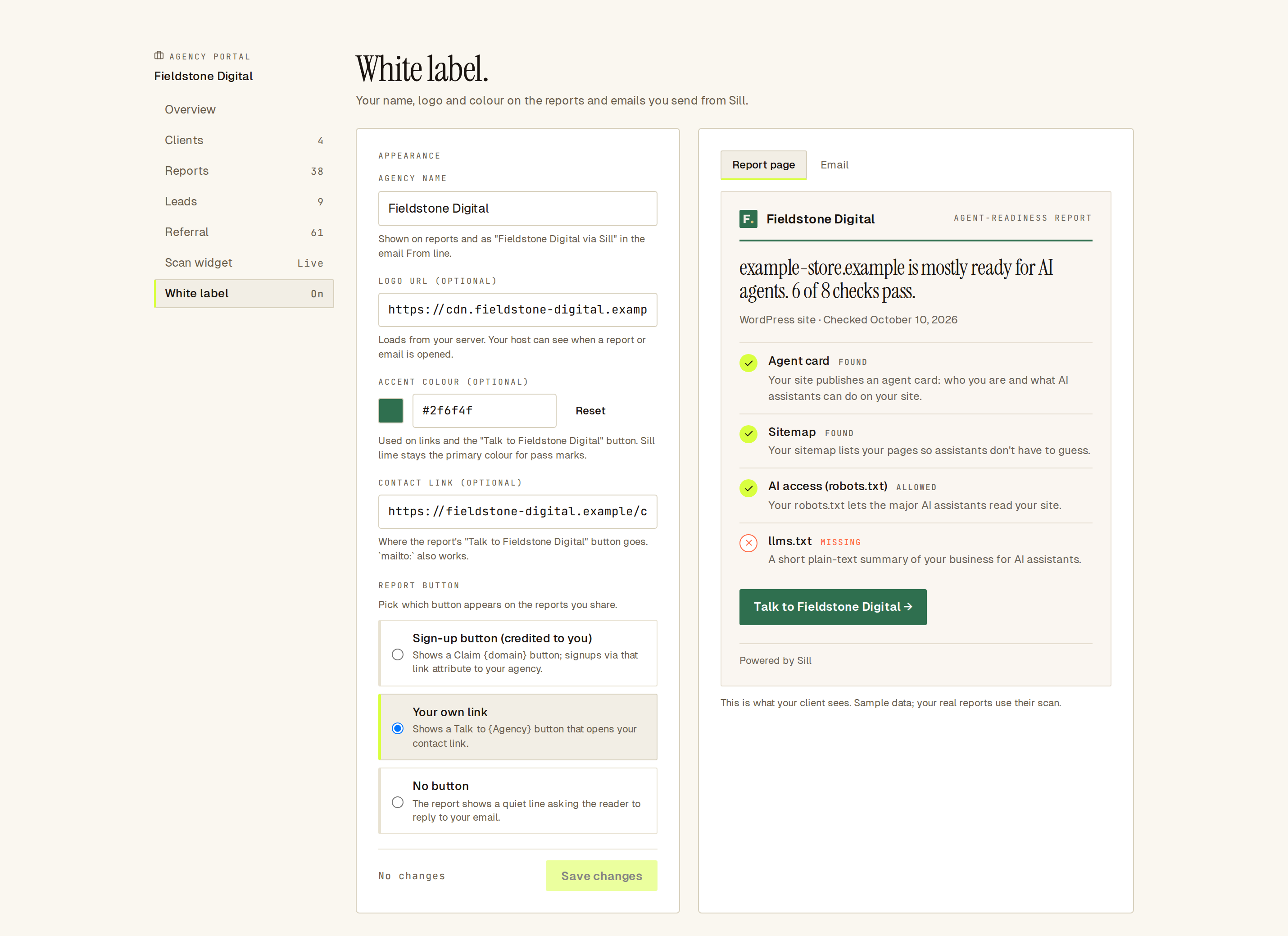 Your settings on the left; a live preview of the report on the right.
How do I brand my reports?
Section titled “How do I brand my reports?”- Open Agency Portal → White label.
- Enter your Agency name, as you want clients to see it.
- Optionally add a Logo URL, an Accent colour and a Contact link.
- Choose the Report button.
- Check the preview, then click Save changes.
The preview on the right updates as you type. Report page shows a sample report; Email shows a sample report email. Both use sample data.
What does each setting do?
Section titled “What does each setting do?”| Setting | Where it shows | Rules |
|---|---|---|
| Agency name | Report header, email header, and the email sender: “{name} via Sill”. | Up to 80 characters. Names that use or imitate “Sill” are refused. |
| Logo URL | Next to your name on reports and emails. | An https:// address of an image on your own server. Your host can see when a report or email is opened. |
| Accent colour | The line under the header, links and the Talk to {agency} button. | A 6-digit hex colour such as #2f6f4f. If it is hard to read, Sill uses its own lime instead. Pass marks stay lime. |
| Contact link | The Talk to {agency} button. | An https:// address or a mailto: address. |
Which report button should I choose?
Section titled “Which report button should I choose?”| Option | What the reader sees |
|---|---|
| Sign-up button (credited to you) | A Claim {domain} button. Signups through it are credited to your agency. Needs a referral link. |
| Your own link | A Talk to {agency} button that opens your contact link. Needs a contact link. |
| No button | A short line asking the reader to reply to your email. |
What does the branded report email look like?
Section titled “What does the branded report email look like?”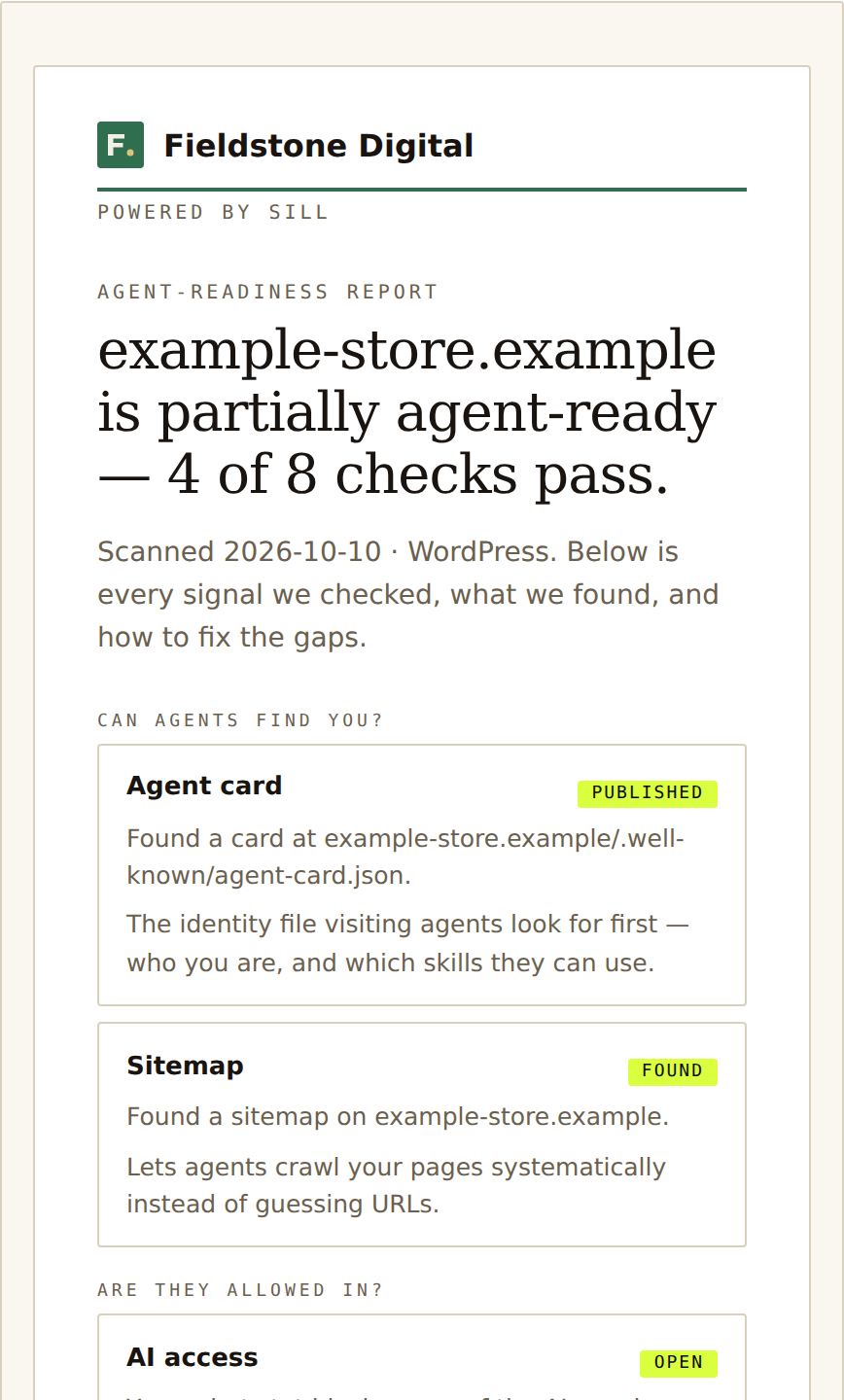 The report email: your name and logo at the top, “Powered by Sill” under it.
The email is sent from Sill’s address with your agency name as the sender, for example “Fieldstone Digital via Sill”. See Reports to send one.
Where does my branding appear?
Section titled “Where does my branding appear?”- Report pages opened from links you copy or email from Reports, and from your scan widget.
- Report emails you send from the Agency Portal.
- The dashboard’s top bar, for your agency’s members only, while they work inside a client.
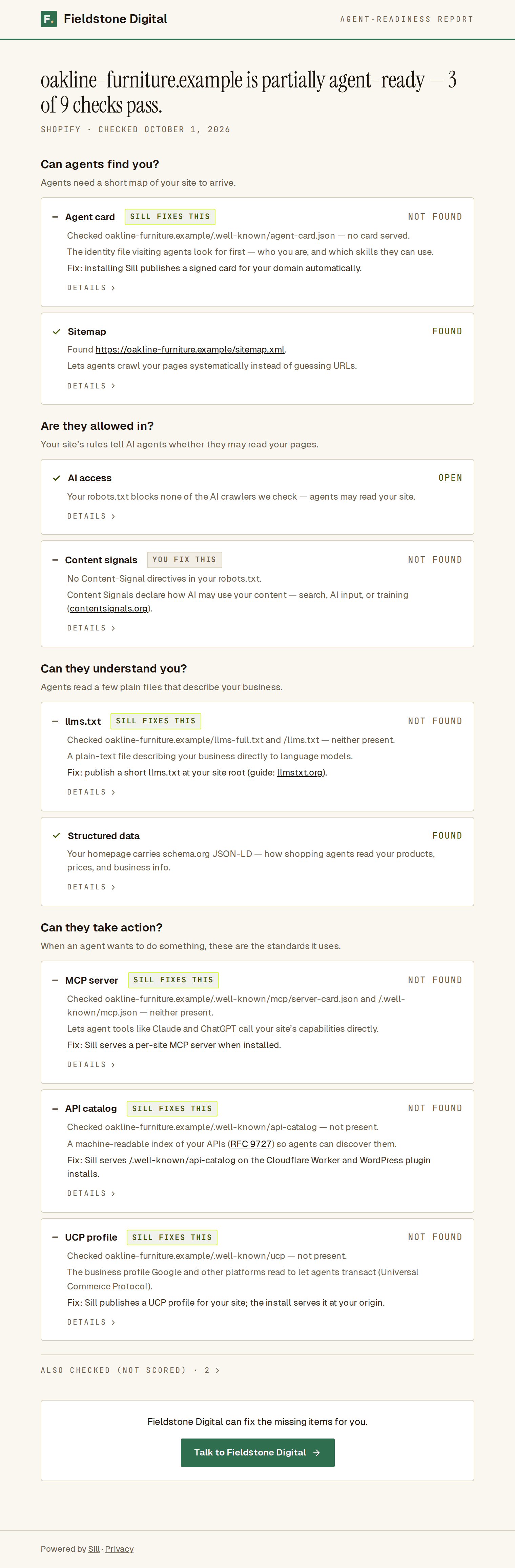 A shared report with full white label: your header, your button, and “Powered by Sill” in the footer.
Every branded report and email keeps a small “Powered by Sill” line.
Where does my branding never appear?
Section titled “Where does my branding never appear?”Anything Sill signs always identifies Sill, not your agency: agent cards, signed records, audit exports and Sill’s public signing keys. This is what lets anyone verify those signatures against Sill.
What do reports look like without white label?
Section titled “What do reports look like without white label?”Reports you share still name your agency in a small “Prepared by {agency} · Powered by Sill” line above the Sill header. Without the add-on, only your contact link saves; the other settings show as a preview.