Approve or remove agency access
An agency can work inside your Sill account only after you allow it. You approve a request from the email Sill sends you, and you can remove the agency at any time from Account settings → Agency access.
How do I approve an agency’s request?
Section titled “How do I approve an agency’s request?”- Open the email from Sill about the agency’s request and click the approval link.
- Sign in as the account owner if you are not signed in already, then open the link from the email again.
- Check the agency’s name and the access it asks for (admin, reviewer or viewer) and the expiry date.
- Click Approve access, or Decline to refuse.
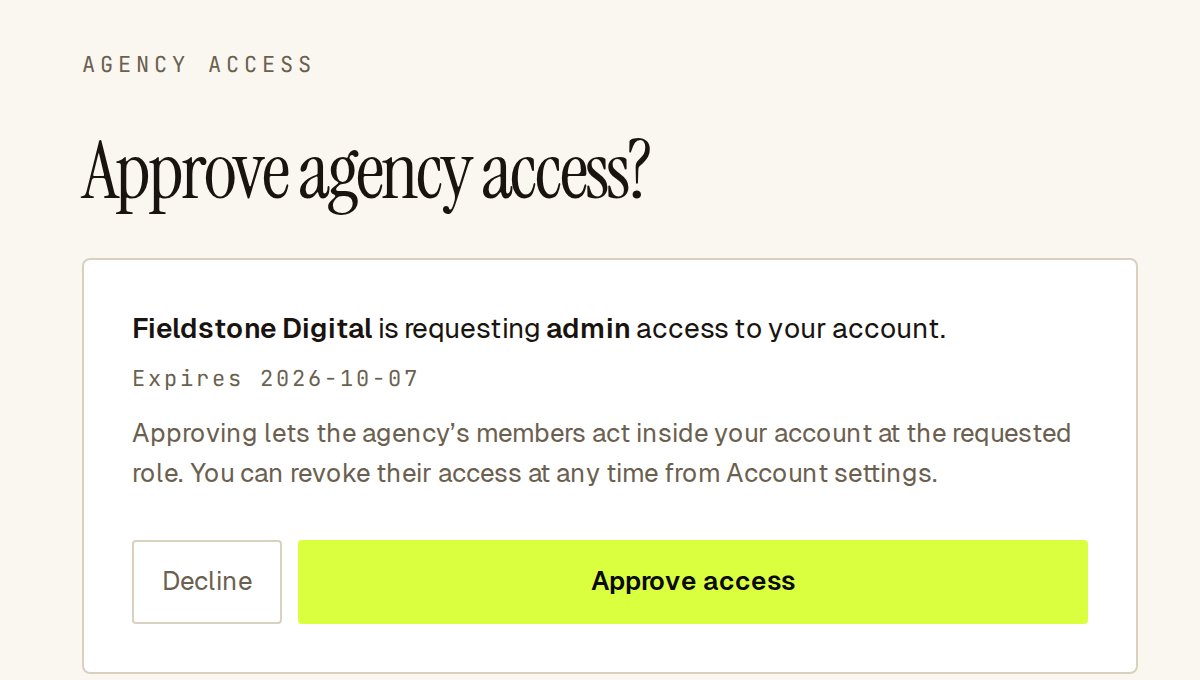 The approval page shows who is asking, the role, and when the request expires.
After you approve, the agency’s members can switch into your account with that role. If you decline, nothing is granted and the agency can send a new request.
A request expires after 7 days. If the link says it is invalid or has expired, ask the agency to send a new one.
What can the agency do in my account?
Section titled “What can the agency do in my account?”The agency works with the role you approved; see Users and roles. Even with admin access, an agency cannot:
- see or change billing and invoices, or manage your team;
- approve or reject held orders;
- change payment settings or connect and disconnect stores, payment rails, Cloudflare and Slack;
- rotate site keys, proof tokens or skill secrets;
- delete your account or change your Agency access, Security and Notifications settings.
How do I see which agencies have access?
Section titled “How do I see which agencies have access?”Open Account settings → Agency access. Each agency shows how it was added (They built this account or You approved them), its role, the date and its status.
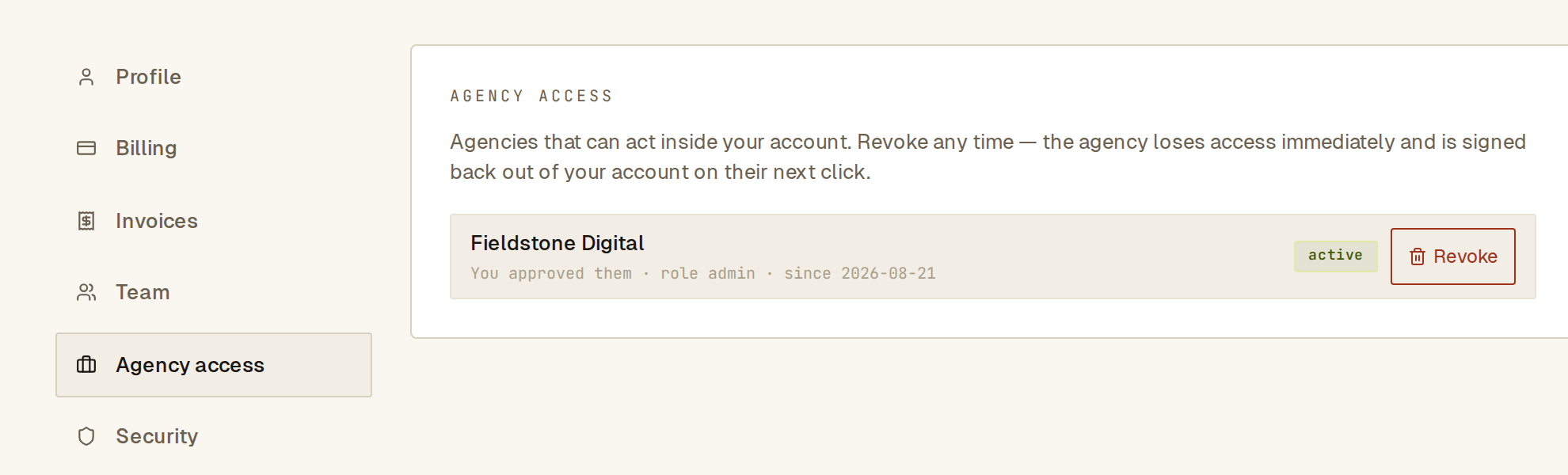 Agency access lists every agency that can act in your account.
How do I remove an agency?
Section titled “How do I remove an agency?”- Open Account settings → Agency access.
- Click Revoke next to the agency.
- Confirm with Revoke access.
The agency loses access immediately and is signed out of your account on its next click. Owners and admins can revoke.
What if the agency created my account?
Section titled “What if the agency created my account?”If an agency set up your Sill account, you received an invite email to claim it. The account is yours once you accept the invite. The agency appears under Agency access as They built this account. You can revoke it like any other agency.
See also
Section titled “See also”- Users and roles
- Manage client accounts (the agency’s side)