Held orders
When a rule set to escalate fires on a signed agent order, Sill holds the order instead of charging it, and it waits in Held orders. An owner or admin reviews it and chooses Approve (charge and settle the payment) or Reject (cancel the order).
Open Held orders in the top navigation (Held orders, reviewed and resolved.). The line above the heading shows how many orders are pending for the selected site. Held orders only appears for sites with a store connected, or for a site with a held order waiting; sites without a store do not see it.
Who can see and resolve
Section titled “Who can see and resolve”| Role | View queue | See buyer detail | Approve / Reject |
|---|---|---|---|
| Owner | yes | yes | yes |
| Admin | yes | yes | yes |
| Reviewer | yes | yes | no |
| Viewer | no | no | no |
A viewer sees ESCALATIONS · HIDDEN FROM YOUR ROLE instead of the queue.
Scan the queue
Section titled “Scan the queue”The list on the left has the filters All, Pending, Approved, Rejected and Timed out. Search by escalation id, mandate id, merchant, rule, SKU or refund reason.
Each row shows:
- What was asked for (the action, or Refund request · {reason} · up to $X for a refund).
- The rule that held it.
- Its status: PENDING, APPROVED, REJECTED or TIMED OUT.
- How long is left before it times out; red in the final hour.
- The escalation id and when it arrived.
New held orders appear within about 10 seconds without reloading. A link in an alert email for a single held order opens that order.
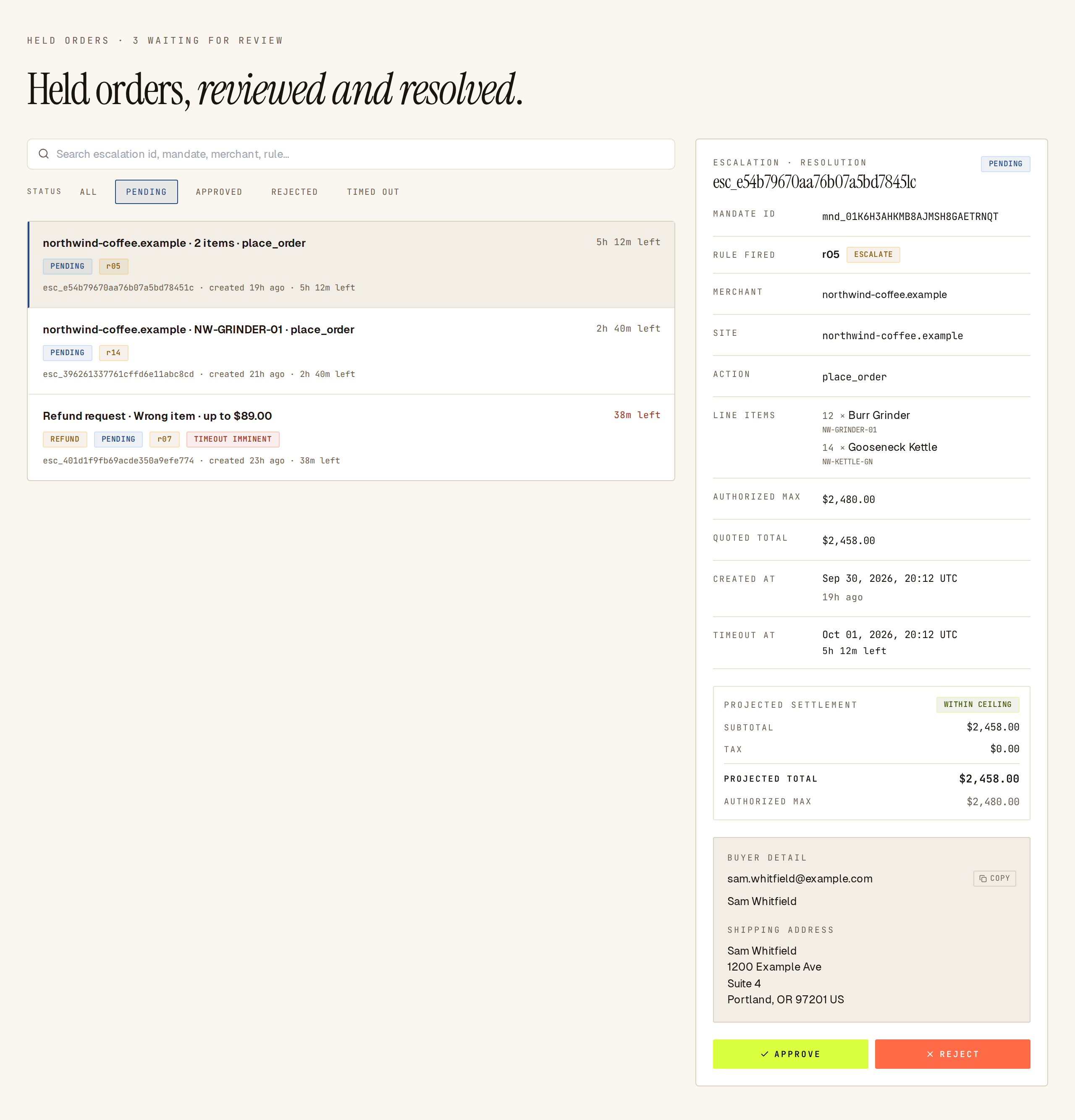 Held orders: pending orders on the left with timeout clocks, the selected order’s detail on the right.
Review one held order
Section titled “Review one held order”Click an order to open its details on the right (full screen on a phone):
- Rule fired — the rule that held the order.
- Mandate ID, Merchant, Site, Action.
- For a refund: Reason code, Scope (full order or partial — selected lines) and Original mandate.
- Line items — the products, quantities and amounts the agent asked for.
- A PROJECTED SETTLEMENT panel on pending orders for sites that settle through Shopify — the expected tax, shipping and total next to the maximum the agent authorized. If the total is over that maximum, approving will not charge the buyer; the agent has to send a new order with a higher limit.
- An Original order panel on refunds — the original purchase from Sill’s own records, so you review what was actually bought rather than what the request claims.
Buyer detail
Section titled “Buyer detail”Opening a held order shows the buyer’s name, email and shipping address. Each view is logged against your user. Owners, admins and reviewers can see buyer detail. Refund requests carry no buyer block; review the ORIGINAL ORDER panel instead.
Approve or reject
Section titled “Approve or reject”Pending rows carry two actions:
- Approve — asks Approve escalation? (“This approves the transaction and settles the payment.”). Confirming charges the payment and writes a signed record of your decision.
- Reject — asks Reject escalation? (“This denies the transaction and cancels the order.”). Confirming cancels the order and writes a signed record of your decision.
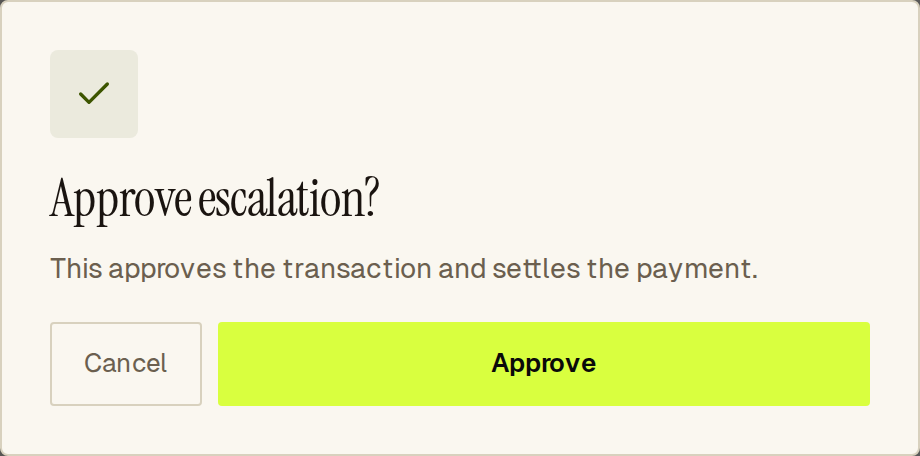 Approving opens a confirm dialog so the decision is deliberate.
The order’s status updates straight away. If someone else resolved it first, Sill tells you and refreshes the list.
Follow a decision into the signed record
Section titled “Follow a decision into the signed record”After an order is resolved, its details show the settled items and the final subtotal, tax, shipping and total. Your decision is signed into the audit record together with an opaque reviewer id (never your name or email) and the time you decided. To see or export the record, search for the mandate id in Activity.
Timeouts
Section titled “Timeouts”Every held order has a deadline. If nobody resolves it in time, it becomes TIMED OUT, no payment is taken, and it moves from Pending to Timed out. Set up escalation alerts so you don’t miss one.
See also
Section titled “See also”- Human in the loop — how holding and review work end to end.
- Escalation alerts — email and Slack alerts for new held orders.
- Audit log and export — the signed source of truth for every decision.
- Rules — the rules that approve, reject or hold an order.