Agency plans
An agency plan covers a set number of sites with one payment. Every site on the plan runs on Protect, your own sites and your clients’ sites counted together.
The agency plans and their prices are on sill.so/agencies. To start one, email [email protected].
How slots work
Section titled “How slots work”Your plan has a number of slots, one per site.
- A site on your plan uses one slot.
- Sites on Free do not use a slot.
- A slot that was used at any point in a month stays counted until that month ends, even if you take the site off the plan.
The CURRENT PLAN card on the Billing tab shows how many slots are in use, split into yours and your clients’.
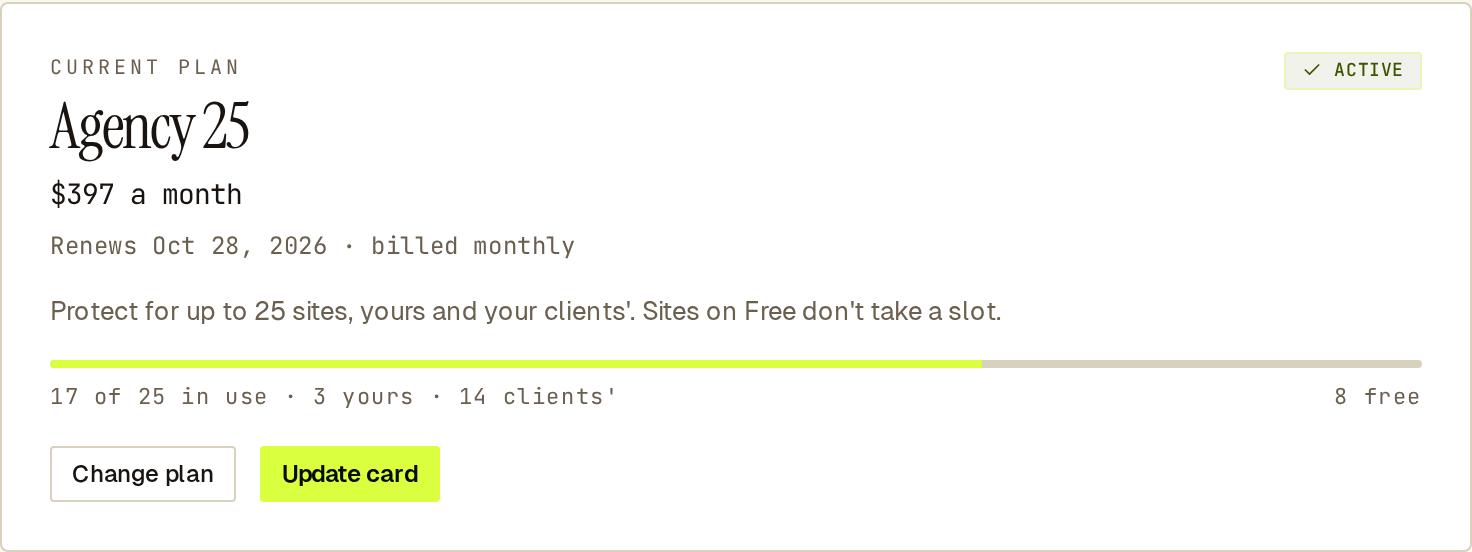 The plan card counts your own sites and your clients’ sites against the same slots.
Your own sites
Section titled “Your own sites”Your own sites go on the plan by themselves while slots are free, oldest first. They show Included in your plan on the Billing tab.
To put back a site you moved to Free:
- Open Account settings → Billing.
- Under Your sites, select Change plan on the site.
- Pick the included plan, then Confirm.
It applies now and there is nothing to pay. If every slot is in use, take another site off the plan first.
Take a site off the plan
Section titled “Take a site off the plan”Select Change plan on the site and pick Free. The site moves to Free at the end of the month.
Put a client’s site on the plan
Section titled “Put a client’s site on the plan”Each client keeps their own Sill account and their own billing. To have your plan pay for a client’s site, email [email protected].
You cannot see or change a client’s billing from the Agency Portal.
Give one of your own sites Business
Section titled “Give one of your own sites Business”Your plan includes Protect. For Business on one of your own sites, select Change plan on that site and pick Business. It is paid by card at the normal price, separately from your agency plan. The slot it used frees up at the end of the month.
To move it back, pick the included plan again. It moves at the end of the period you have paid for. Nothing is charged or refunded.
Move to a bigger or smaller agency plan
Section titled “Move to a bigger or smaller agency plan”Only the account owner can do this.
- Open Account settings → Billing.
- On the CURRENT PLAN card, select Change plan.
- Pick the plan, then Confirm or Continue to payment.
| Change | What happens |
|---|---|
| Bigger plan | Starts now. You pay the difference for the rest of the current period, then the new price. |
| Smaller plan | Starts at the end of the current period. Nothing changes and nothing is charged until then. |
A smaller plan must still fit your sites. If more sites are on your plan than the smaller plan covers, take some off first.
To undo a move to a smaller plan before its date, select Keep followed by your current plan’s name.
If Sill set up a custom plan for you, Change plan sends us a request and we reply by email.
Invoices
Section titled “Invoices”- If you pay your agency plan by card, its invoices are under Account settings → Invoices.
- If Sill set up your plan for you, Sill emails its invoices. Card payments for separate site plans still appear under Invoices.