Plans and billing
Sill is billed per site. Each site has its own plan, and all your paid sites go on one bill.
The plans
Section titled “The plans”There are three site plans: Free, Protect and Business. What each one includes, and what it costs, is on sill.so/pricing.
- Every site starts on Free. You do not need a card.
- You can mix plans. One site can be on Business while the rest stay on Free.
- You pay only for sites on Protect or Business.
Agencies can buy one plan that covers many sites. See Agency plans.
One bill per account
Section titled “One bill per account”All your paid sites share one bill, one renewal date and one card.
- You choose monthly or yearly billing when you pick your first paid plan.
- Payment is by card, through Stripe.
- The first time you pay, you enter your card on Stripe’s checkout page and come back to the dashboard.
Where to find billing
Section titled “Where to find billing”Open the account menu at the top right of the dashboard → Account settings → Billing.
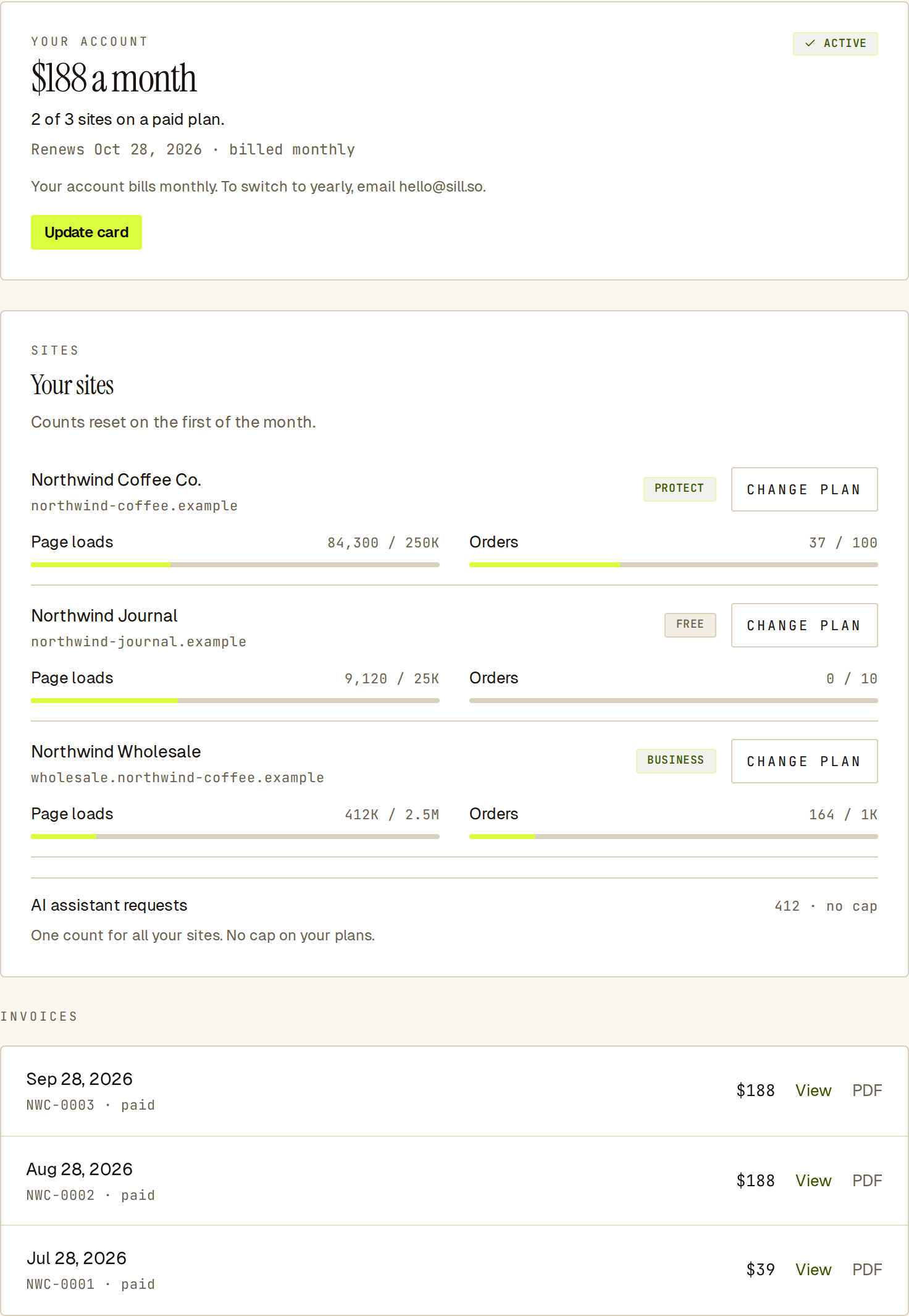 The Billing tab: what you pay at the top, then one row per site, then your invoices.
| On the Billing tab | What it shows |
|---|---|
| YOUR ACCOUNT | Your total, how many sites are on a paid plan, the next renewal date, and Update card. |
| Your sites | One row per site with its plan and this month’s use. Change plan is here. This month’s AI assistant requests are on the last line. |
| ADD-ONS | Any add-ons on your account. Shown only when you have one. |
| INVOICES | Your billing history. |
Invoices also have their own tab: Account settings → Invoices.
Who can change billing
Section titled “Who can change billing”| Role | What they can do |
|---|---|
| Owner, admin | See billing, change site plans, update the card, open invoices. |
| Reviewer, viewer | Nothing. The Billing tab shows “Only owners and admins can see billing.” |
An agency working inside your account cannot see or change your billing.