Campaigns
A campaign is one operator running many machines against your store. Blocking them one address at a time doesn’t keep up, because new addresses join all the time. Sill spots the group and lets you block all of it with one click, including addresses that join later.
How Sill spots a campaign
Section titled “How Sill spots a campaign”Sill groups senders into a campaign when at least 3 addresses request largely the same paths, with at least 4 paths in common, within one hour. The group is listed under Security → Attackers, in CAMPAIGNS, above the individual senders.
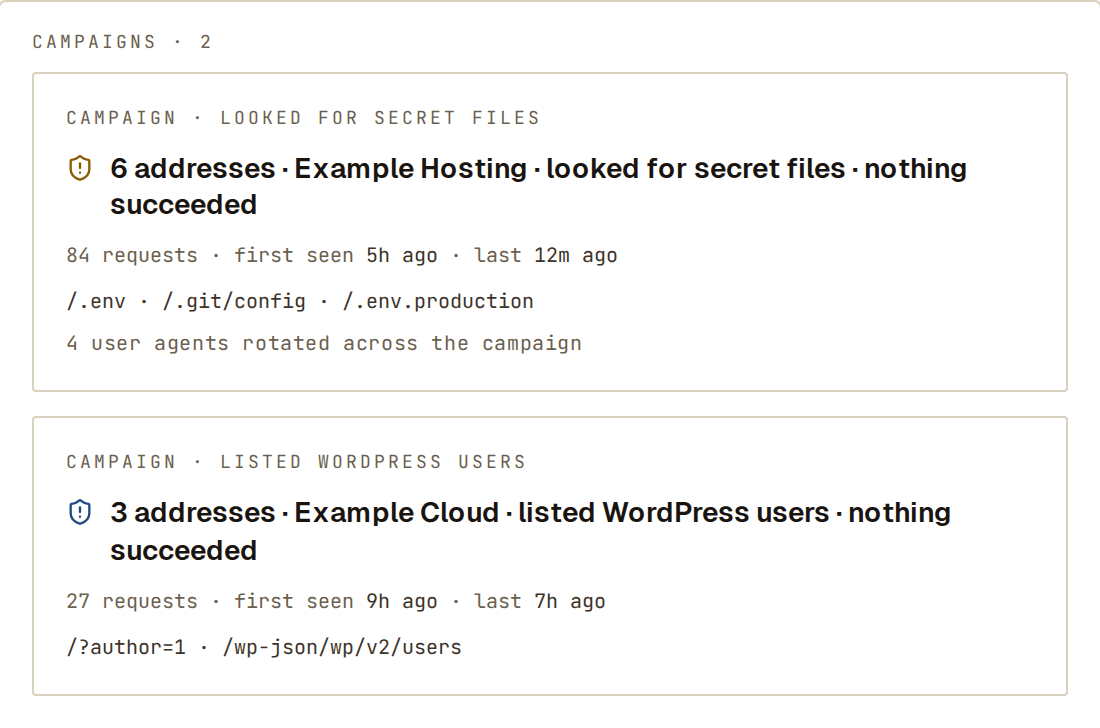 Each card says how many addresses, which network, what they tried and whether anything succeeded.
Each card shows:
- how many addresses, the network they come from, what they tried and whether any request succeeded;
- the number of requests and when the campaign was first and last seen;
- the paths they had in common;
- how many different user agents they rotated through, when they did.
Click a card for the members (each address, its location and network), the networks the campaign spans and the shared paths.
Auto-block a campaign
Section titled “Auto-block a campaign”- Open the campaign under Security → Attackers.
- Click Auto-block this campaign.
- Confirm. Sill tells you how many addresses it will block and when the blocks end.
Sill blocks the campaign’s current addresses for 7 days, then blocks each new address as it joins, also for 7 days. You need the owner or admin role, and blocking must be on with the Cloudflare Worker for the blocks to take effect.
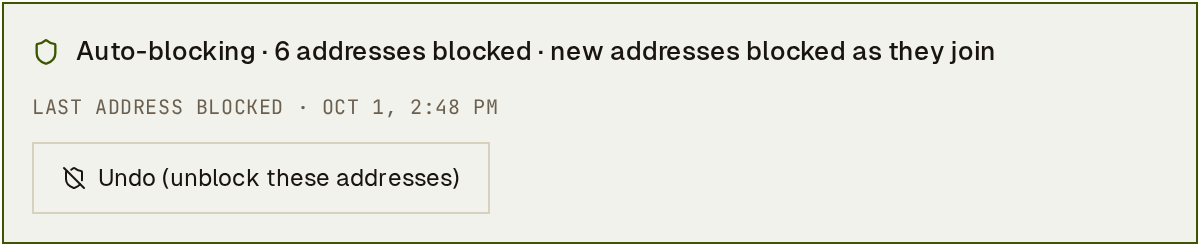 LAST ADDRESS BLOCKED shows when the campaign last grew.
While auto-block is on, the campaign shows Auto-blocking, how many addresses are blocked, and LAST ADDRESS BLOCKED with the date and time an address was last added.
What auto-block leaves alone
Section titled “What auto-block leaves alone”Auto-block only blocks addresses Sill has confirmed are on hosting or cloud networks; others wait until that is confirmed. It never blocks:
- verified crawlers;
- addresses on your trusted list;
- the address you use the dashboard from;
- your own servers, found in your domain’s DNS records;
- Cloudflare’s network and privacy relays.
When Sill skips addresses, it says how many and why, for example 2 addresses skipped — your own server (found in your DNS). If your site reaches its limit of 1,000 blocked addresses, the campaign says so and new members are not blocked until you remove older blocks.
Stop auto-block
Section titled “Stop auto-block”- Undo (unblock these addresses) turns auto-block off and removes the blocks it made. Blocks you made by hand stay.
- Auto-block turns itself off when no new address has joined for 48 hours. The blocks it made run out on their own.
See also
Section titled “See also”- Block a sender — block one address.
- Attack paths — refuse the paths a campaign targets, from any address.
- Attack detection — the Attackers list.