Usage and limits
Each plan includes a monthly amount of page loads, orders and AI assistant requests. Going over never slows your site or blocks an order.
The amounts for each plan are on sill.so/pricing.
See this month’s use
Section titled “See this month’s use”Open Account settings → Billing.
| What is counted | Where it shows | How it is counted |
|---|---|---|
| Page loads | On each site’s row under Your sites | Per site, against that site’s plan |
| Orders | On each site’s row under Your sites | Per site, against that site’s plan |
| AI assistant requests | On the last line under Your sites | One count for all your sites. The limit is the highest of your site plans; some plans have no cap. |
Counts reset on the first of the month.
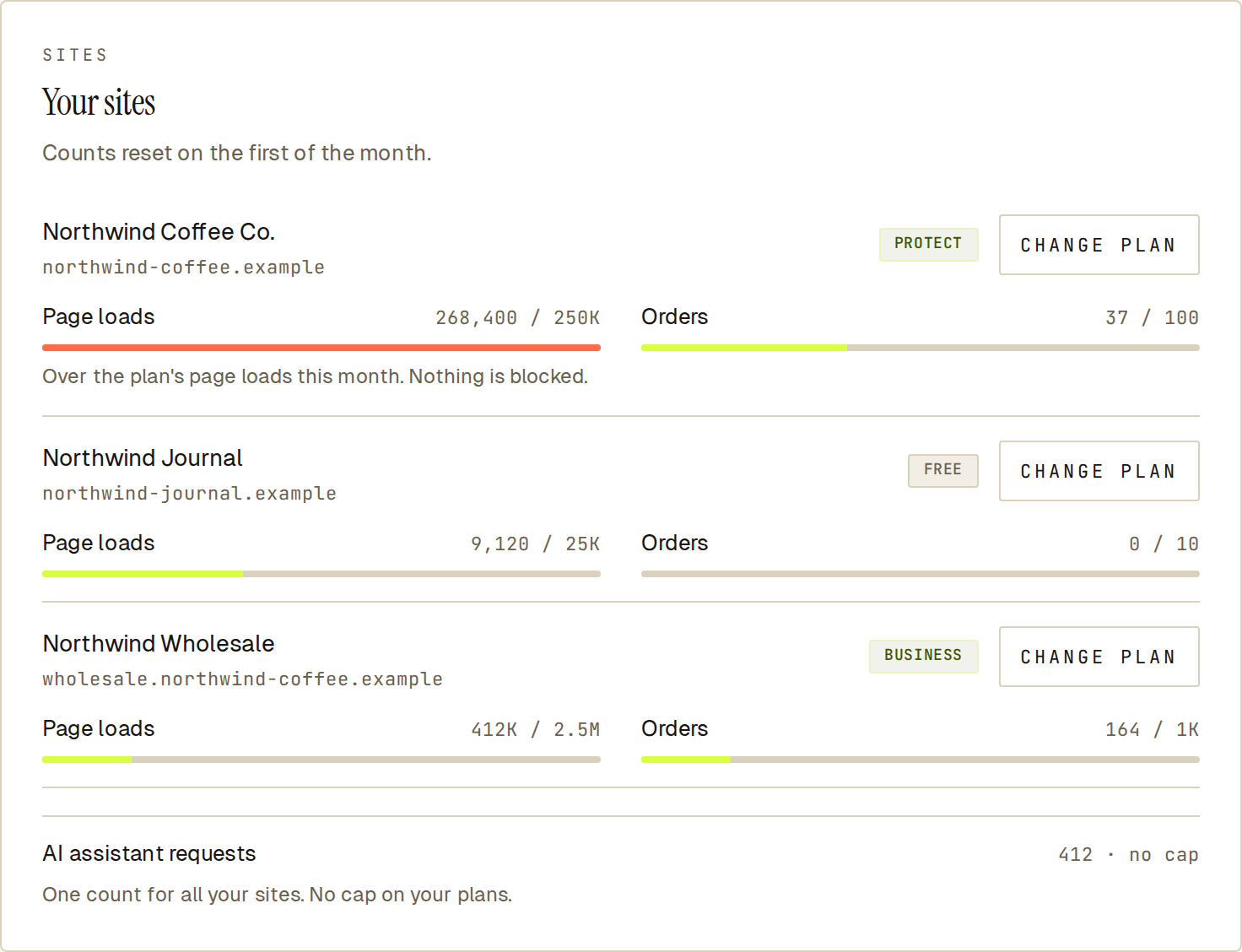 A site over its page loads for the month. The bar turns red and nothing is blocked.
What happens over the limit
Section titled “What happens over the limit”- Your site and your orders keep working.
- Orders keep going through and are still checked against your rules.
- Nothing extra is charged. You pay more only if you choose to upgrade or add page loads.
The Billing tab marks a count that is over, for example “Over the plan’s page loads this month. Nothing is blocked.”
Get more room
Section titled “Get more room”- Upgrade the site. See Upgrade or downgrade a site.
- Add page loads. To add page loads without changing plan, email [email protected].
Cancel an add-on
Section titled “Cancel an add-on”Add-ons on your account are listed under ADD-ONS on the Billing tab. Select Cancel next to one. It ends at the next renewal and is not charged again.