Trusted and ignored senders
Some senders look like attackers but are yours: an uptime monitor hitting your login page, a security scanner you hired, your office network. Trusted addresses and Ignore keep them out of your way, so the Attackers list only shows senders you need to act on.
| Trust this address | Ignore for 30 days | |
|---|---|---|
| Raises alerts | Never | Not for the attempts you ignored, for 30 days |
| Can be blocked | Never, by you or by campaign auto-block | Yes |
| Ends | When you remove it | After 30 days |
| Use it for | Addresses you own or rely on | Noise you don’t want to deal with now |
You need the owner or admin role for both.
Trust an address
Section titled “Trust an address”You can trust an address in two ways.
From a sender’s panel.
- Open the sender from Security → Attackers.
- Open ⋯ and choose Trust this address.
- Confirm. If the address is blocked, Sill removes the block first.
By hand, from Security → Trusted. Open Security → Trusted and type an IP or range + a short reason. The Trust my current address button fills in your current address, so adding your own network takes two clicks.
Add your office or VPN address by hand so your team can always reach your admin pages, even if one of your addresses trips an alert. Your admin and login pages (/wp-admin, /login, cPanel) are never on the attack path list.
Sill won’t alert on or block a trusted address, and campaign auto-block skips it. Attack paths still apply: a trusted address asking for /.env gets the same 404 as anyone else.
Your trusted addresses are listed under Security → Trusted, each with why it was added, who added it and when. Remove takes an address off the list.
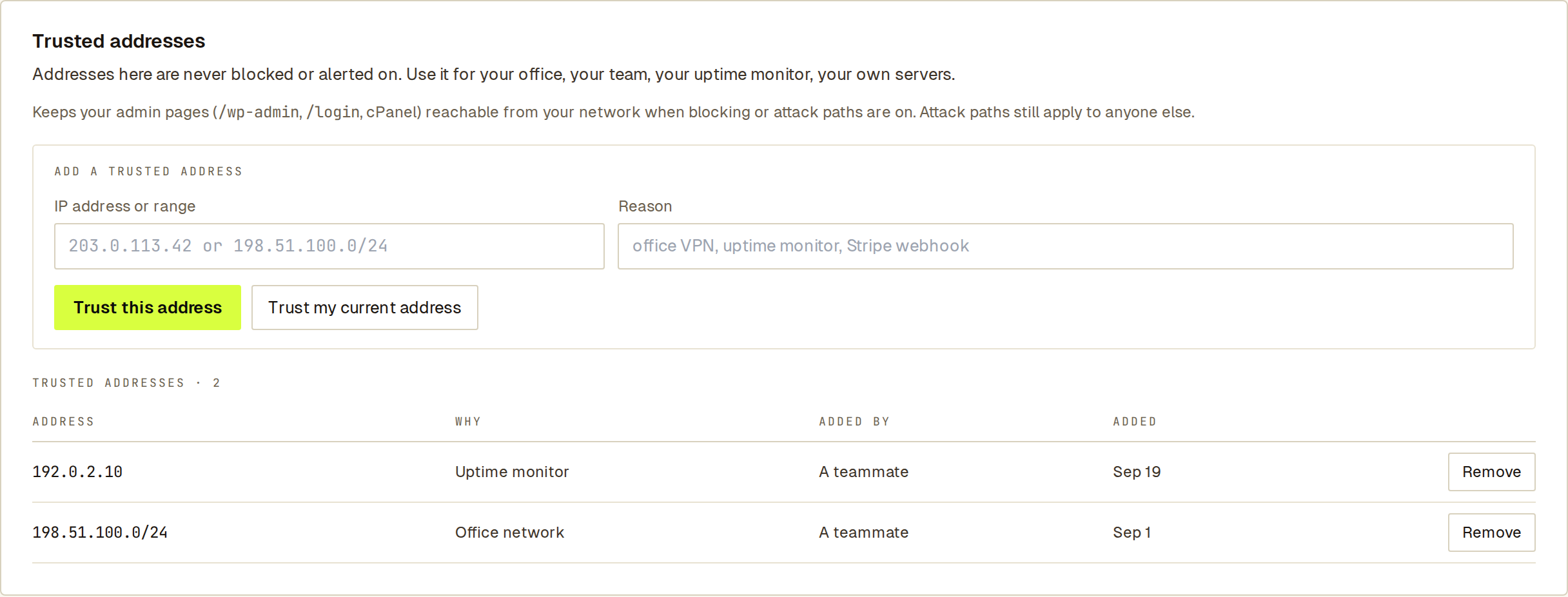 Trusted addresses live under Security → Trusted, with the reason and who added each one.
A site can have up to 500 trusted entries. A trusted range can be no wider than /24 for IPv4 or /48 for IPv6, so one entry can’t exempt a whole provider.
Ignore a sender for 30 days
Section titled “Ignore a sender for 30 days”Open the sender, open ⋯ and choose Ignore for 30 days. Sill stops alerting on those attempts from that sender for 30 days, and its card reads Ignored. Ignoring doesn’t block or trust the sender: if it starts something new, you’ll see it.