Block a sender
Blocking stops one address from reaching your store. You block from the sender’s panel in Sill, and your Cloudflare Worker refuses that address’s requests with a 403 (Access denied.) before they reach your server. Blocks end on their own after the time you choose, so an address that changes hands is not shut out for good.
You need the owner or admin role to block, unblock or turn blocking on. Reviewers can see blocks and addresses.
| Switch | What it does |
|---|---|
| Blocking (this page) | Stops the addresses on your block list from opening any page. They get Access denied from your Cloudflare Worker. |
| Attack paths | Refuses requests for attack paths only, from anyone, with a plain not found. No address is blocked: the same visitor can still open every normal page. |
Turn blocking on
Section titled “Turn blocking on”Blocks only take effect when blocking is on for the site. It needs the Cloudflare Worker, version 1.8 or newer. The WordPress plugin and the script tag cannot block addresses.
- Open Security → Blocking.
- Click Turn on blocking and confirm.
Owners and admins can also click Turn on next to Turn on blocking in the Security summary’s next steps.
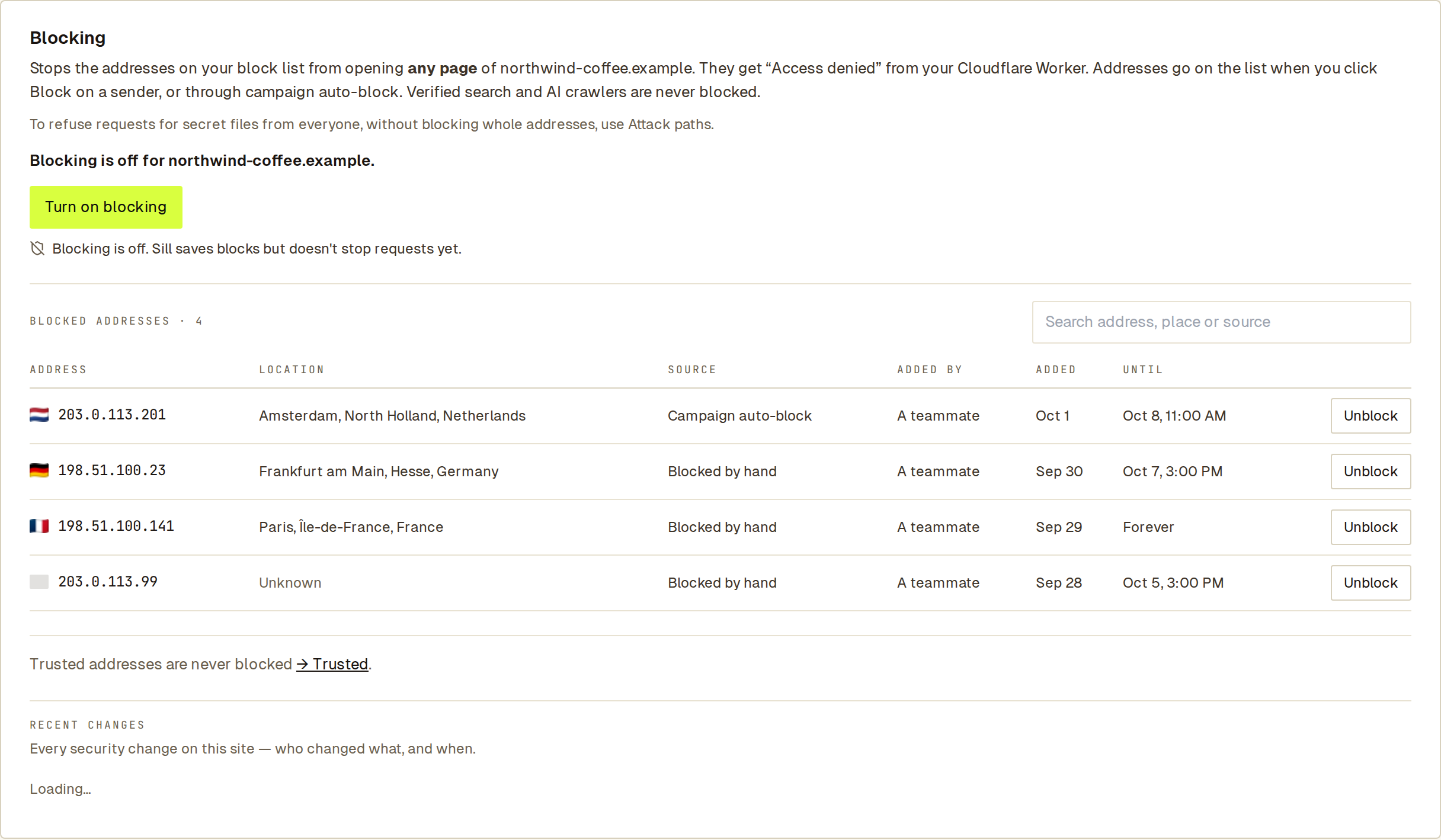 While blocking is off, Sill keeps your blocks and shows what would be blocked.
The line under the button tells you whether blocks are reaching your Worker:
| What it says | What it means |
|---|---|
| Blocking is on. Blocked addresses get “Access denied.” | Your Worker has the current list. |
| Blocking is on. Your Worker picks up changes within a minute. | A change is on its way. |
| Blocking is on, but Sill can’t deliver your block list to the Worker right now. | Blocks are saved and apply once delivery recovers. |
| Blocking is off. Sill saves blocks but doesn’t stop requests yet. | Click Turn on blocking when you are ready. |
| Update your Cloudflare Worker to turn on blocking. | Your Worker is older than 1.8; see Cloudflare Worker. |
Turning blocking on doesn’t block anyone by itself. Blocks come from your Block clicks and from campaigns you set to auto-block. Turn it off with Turn off blocking; your block list is kept.
Block an address
Section titled “Block an address”Open the sender, from Security → Attackers or from a visit in Activity, and click Block for 7 days. Use the menu next to it to choose another length. You can also do this from a connected assistant: see Use Sill from Claude or ChatGPT.
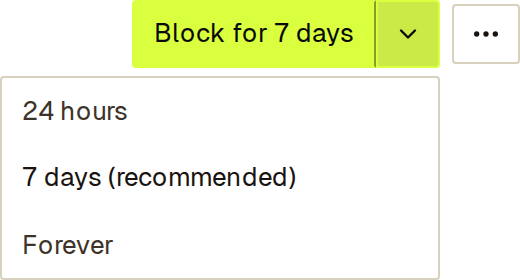 7 days is the default.
| Length | Use it for |
|---|---|
| 24 hours | A short pause, or an address real visitors may share. |
| 7 days | Most senders. Hosting addresses change owner, so a block that ends on its own avoids shutting out a later, legitimate one. |
| Forever | A sender you never want back. Sill asks you to confirm. |
Safety checks
Section titled “Safety checks”- Sill refuses to block verified crawlers, such as a confirmed Googlebot.
- Sill refuses to block Cloudflare’s network and privacy relays such as iCloud Private Relay, which many real visitors share: That address belongs to Cloudflare or a privacy relay used by many real visitors, so Sill won’t block it.
- If the address is the one you are using now, Sill asks you to confirm, because you would lock yourself out of your own site.
- A Forever block on a home or mobile network warns that other people may share the address and offers 24 hours instead.
- A site can hold up to 1,000 blocked addresses. Remove older blocks to add more.
See the address behind a visit
Section titled “See the address behind a visit”In Activity, open a visit. Under Key facts, the Location row shows where it came from and, on the line below, the address. The Block button at the top of the panel blocks that address.
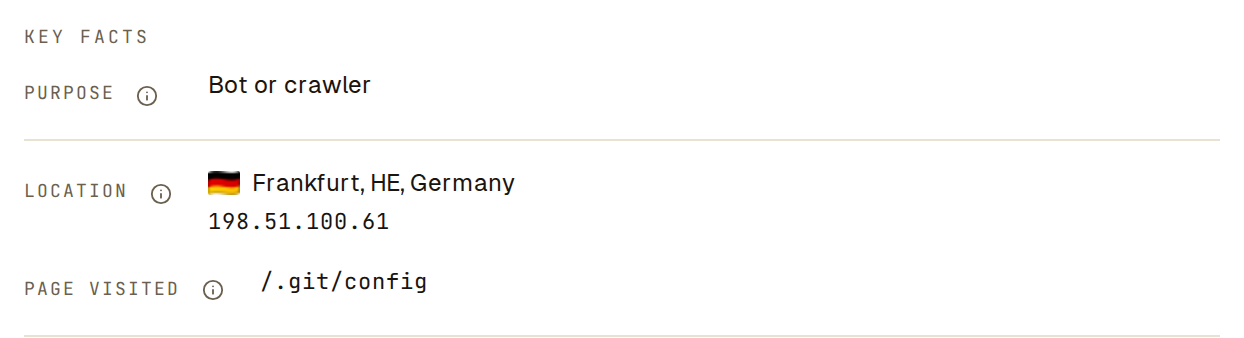 The address sits under the location it was resolved from.
The address appears for owners, admins and reviewers when the Cloudflare Worker or WordPress plugin recorded the visit, the visit is less than 30 days old, and Sill can tie it to exactly one address. Each time an address is shown, it is recorded in that member’s activity as Viewed a visitor’s IP address.
Find every visit from an address
Section titled “Find every visit from an address”Type a full address into the search box in Activity, for example 203.0.113.57 or 2001:db8:4e41::2ad9.
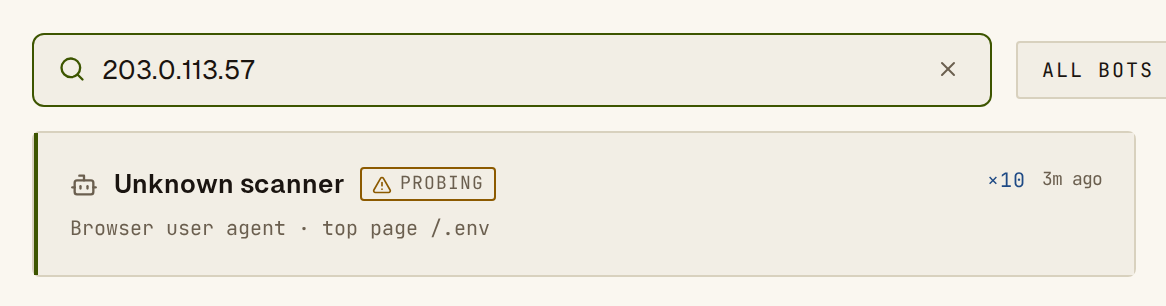 Searching an address lists the rows with visits from it.
Only owners, admins and reviewers can search by address, part of an address matches nothing, and only the last 30 days are searched. Each search is recorded in that member’s activity.
Manage your blocks
Section titled “Manage your blocks”Security → Blocking lists every block on the site with a flag, its city, why it was made (Manual block or Auto-blocked · campaign), who made it and when it ends. Unblock removes a block at once.
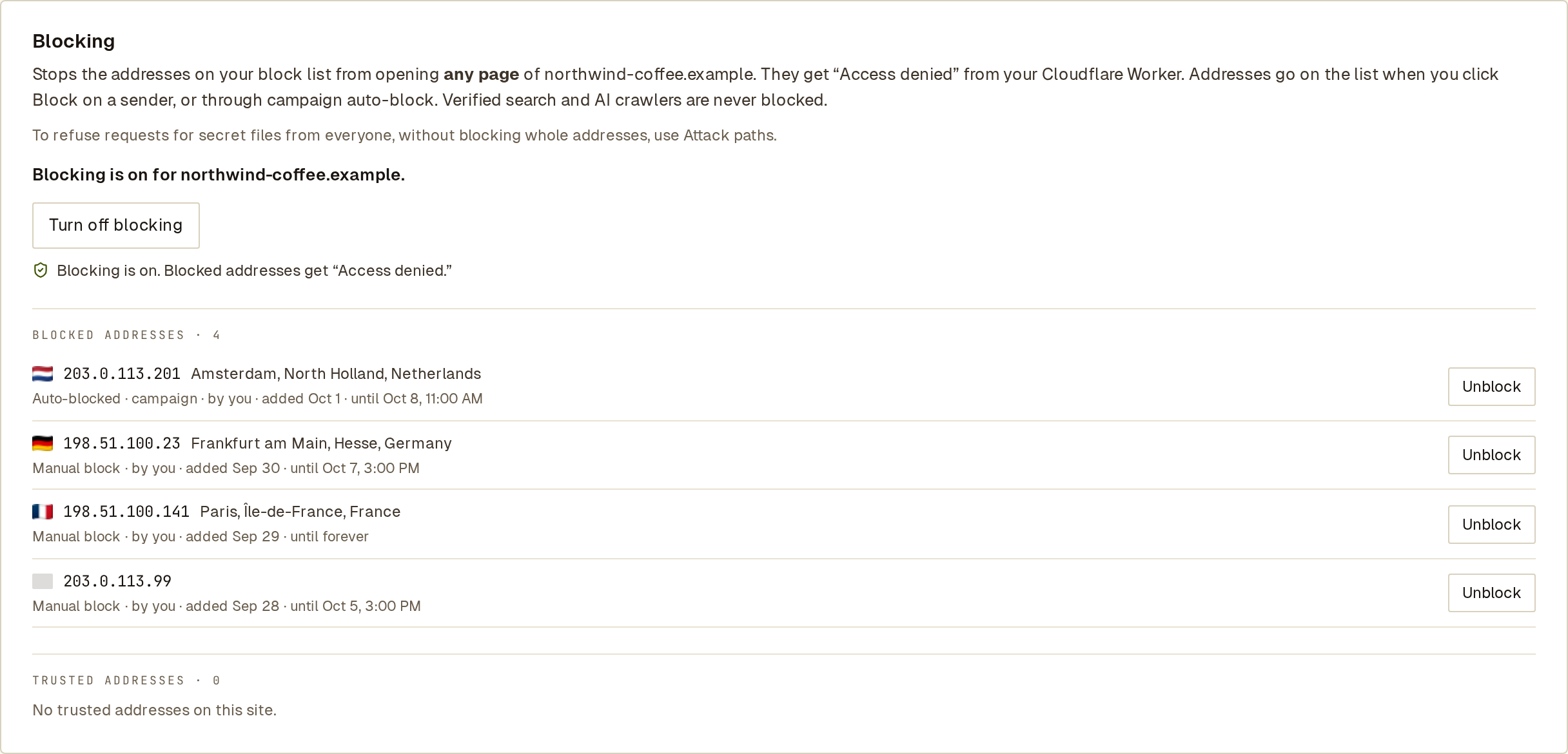 A grey flag means Sill could not place the address.
See also
Section titled “See also”- Attack paths — refuse requests for secret files whoever sends them.
- Campaigns — block a whole group of addresses at once.
- Trusted and ignored senders — addresses Sill must never block.